
Introduction
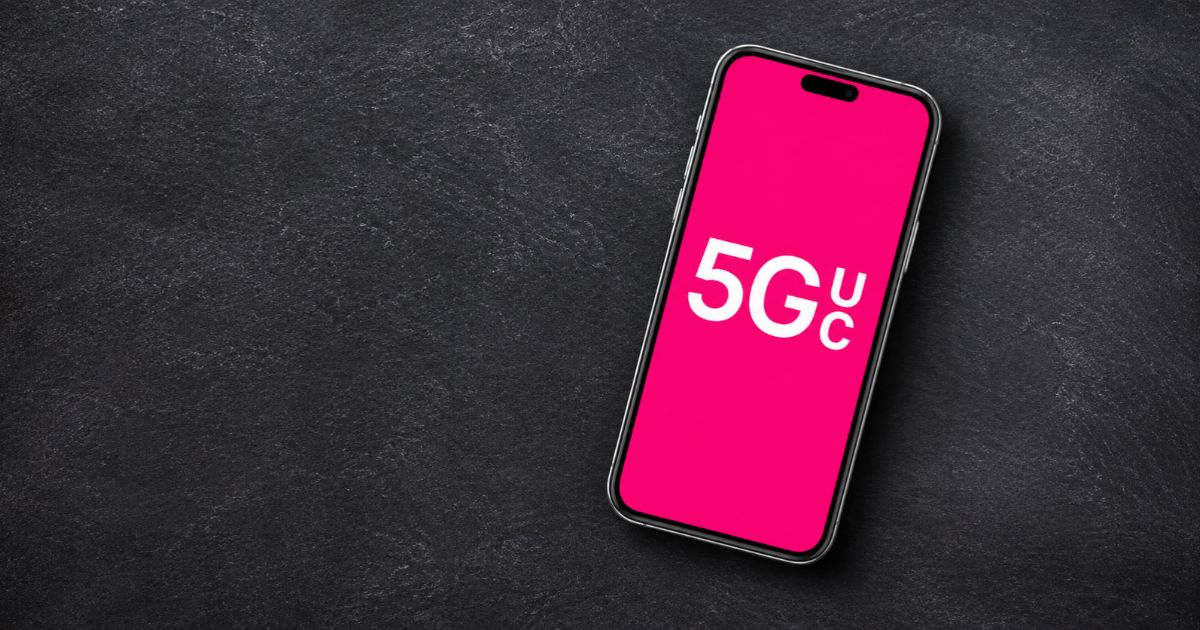
What Does 5G UC Mean? 5G UC means 5G Ultra Capacity. It is the icon T-Mobile shows when your phone is in an area with its higher-capacity 5G network. T-Mobile says Ultra Capacity uses mid-band and/or millimeter-wave (mmWave) 5G, which can offer more capacity and faster speeds than its low-band Extended Range 5G.
Seeing 5G UC on your phone suggests your connection can handle demanding activities such as streaming, large downloads, and online gaming. But the icon does not guarantee a particular speed. Your real performance depends on coverage, congestion, signal strength, your device, and other conditions.
Key Takeaways
- 5G UC stands for 5G Ultra Capacity.
- It is T-Mobile’s icon for its mid-band and/or mmWave 5G network.
- On T-Mobile, the plain 5G icon usually means Extended Range 5G, which is low-band.
- 5G UC can be faster, but actual speed varies by location and network conditions.
- The icon can appear and disappear as you move between coverage areas.
- Most current 5G phones can use both layers, but coverage still decides what you see.
What Does 5G UC Mean on Your Phone?
The letters UC stand for Ultra Capacity. When 5G UC appears in your status bar, your phone is connected to T-Mobile’s Ultra Capacity 5G. T-Mobile says the icon appears when your device is in an area that has this network layer.
T-Mobile splits its 5G into two layers:
- Extended Range 5G is the low-band foundation of its nationwide 5G. It focuses on wide coverage and shows as plain 5G.
- Ultra Capacity 5G adds mid-band and/or mmWave spectrum for more capacity and faster speeds in supported areas. It shows as 5G UC.
This difference matters because not every 5G connection performs the same way. Low-band 5G reaches far, while mid-band and mmWave carry more data in the areas where they are deployed.
For example, you might see 5G UC while streaming high-resolution video in a supported city. In an area with only low-band coverage, your phone may switch to plain 5G or LTE.
The icon tells you which type of network you are connected to. It does not tell you your exact download speed.
How Does 5G Ultra Capacity Work?
5G Ultra Capacity uses spectrum that can carry more data than low-band. T-Mobile describes it as mid-band and/or mmWave.
Mid-Band 5G
Mid-band offers a balance between coverage and speed. It is generally faster than low-band and still covers a useful area around each cell site. It is the main way many people get faster mobile internet in cities and suburbs.
Millimeter-Wave 5G
Millimeter-wave (mmWave) uses very high-frequency spectrum. It can support very fast speeds and large capacity, especially in busy locations.
However, mmWave signals travel shorter distances and are easily blocked by walls, trees, and other obstacles. Its coverage is more limited.
Important: The 5G UC icon does not tell you whether your phone is using mid-band or mmWave at that moment. It also does not show a specific frequency or speed.
How Fast Is 5G UC?
5G UC can be much faster than many older mobile connections, but there is no single speed every user should expect.
Several factors affect your speed:
- Network congestion: Speeds can drop when many people use the same cell site.
- Signal strength: A stronger, cleaner signal usually performs better.
- Location: Deployment and available spectrum differ by area, and indoors is often weaker than outdoors.
- Device capabilities: Phones differ in the bands and features they support.
- Network backhaul: The link between a cell site and the wider network can limit performance.
A strong 5G UC connection can make large downloads quicker and improve the feel of data-heavy apps. Still, the icon alone cannot confirm a specific download or upload speed.
How to Check Your Actual Speed
A speed test is the simplest way to measure your connection.
- Connect to your mobile network, not Wi-Fi.
- Open a reputable speed-test app or website.
- Run the test where you normally use your phone.
- Record the download speed, upload speed, and latency.
- Repeat the test at another time to see how conditions change the result.
For a fair comparison, test under similar conditions, and do not compare a Wi-Fi test with a mobile-data test.
5G UC vs. Regular 5G: What Is the Difference?
On T-Mobile, the difference is the network layer behind the icon. The plain 5G icon usually means Extended Range 5G, which is low-band. The 5G UC icon means Ultra Capacity 5G, which is mid-band and/or mmWave.
| Feature | Regular 5G (Extended Range) | 5G UC (Ultra Capacity) |
| Meaning | T-Mobile’s low-band 5G layer | T-Mobile’s mid-band and/or mmWave 5G layer |
| Main strength | Wide coverage, including many rural areas | More capacity and higher speed potential |
| Coverage | Broader | Only where Ultra Capacity is deployed |
| Speed guarantee | None | None |
Regular 5G is not automatically slow, and it can be a reliable connection where UC is unavailable. And 5G UC can still perform poorly during congestion or when your signal is weak.
5G UC vs. 5G UW
You may also see 5G UW on a Verizon phone. It stands for 5G Ultra Wideband, Verizon’s label for its higher-performance 5G. AT&T uses 5G+ for its comparable service.
These are carrier-specific labels. They are not interchangeable names for one network, and none of them guarantees a particular speed. Your experience depends on the carrier, the technology deployed where you are, your phone, and local conditions.
Why Does the 5G UC Icon Keep Disappearing?
The icon can appear and disappear as your phone moves between coverage areas or changes connection. That is not necessarily a problem.
Common reasons include:
1. You Have Left the Ultra Capacity Coverage Area
Your phone may move from Ultra Capacity coverage into an area served by plain 5G or LTE. The status icon then changes to match.
2. Signal Conditions Have Changed
Buildings, walls, terrain, and distance from a cell site all affect mobile signals. Your phone may switch to a connection that gives a more usable signal.
3. Network Conditions Have Changed
Your phone chooses a connection based on what the network offers at that moment, so the icon can change as that choice changes.
4. Your Phone or Plan May Not Support the Service
Most 5G phones can use both layers, but older or non-T-Mobile phones may not support every band. Some older devices may also not display the UC icon at all, because the phone’s software has to support it.
What Should You Do?
Start by checking T-Mobile’s 5G coverage map for your location. Then update your phone’s software and carrier settings.
If your connection is consistently slower than expected, restart your phone and test in another location. Contact T-Mobile if the problem continues and you believe your phone and plan should support the service.
Does 5G UC Use More Data or Drain Your Battery?
The 5G UC icon does not mean your phone uses more data for every activity. Data use depends mainly on what you do. Streaming at higher quality uses more data than streaming at lower quality, whatever the network. A faster connection can let apps download more quickly, but speed alone does not decide how much data a task uses.
Battery use varies too. Signal strength, your phone, and the apps you run all play a part. Hunting for a weak signal or switching often between connections can add to battery drain.
To manage data and battery:
- Check your mobile data usage in your phone’s settings.
- Lower streaming quality when you want to save data.
- Keep your phone’s software updated.
- Avoid running repeated speed tests when battery life matters.
- Review your plan for data limits or restrictions.
How to Get 5G UC on Your Phone
You cannot turn on 5G UC with a setting. Your phone has to connect to T-Mobile’s Ultra Capacity network where it is available. These checks help you see whether you can.
Step 1: Check Your Phone’s Compatibility
T-Mobile says that most 5G phones can use both its Extended Range and Ultra Capacity 5G. If your phone is older or was bought elsewhere, confirm that it supports T-Mobile’s 5G bands.
Step 2: Check Your Plan
Review your plan or contact T-Mobile to confirm that your service includes 5G access.
Step 3: Check Coverage
Look up your address on T-Mobile’s coverage map. Coverage can differ between nearby locations, especially indoors.
Step 4: Check Your Phone Settings
Make sure mobile data is on and that your cellular settings allow 5G. Menu names differ by phone and software version.
Step 5: Update and Restart
Install available software and carrier-setting updates, then restart your phone if the expected connection does not appear.
If 5G UC still does not show, Ultra Capacity service may simply not be available where you are. A missing icon does not mean your phone is broken.
FAQs
What does 5G UC stand for?
5G UC stands for 5G Ultra Capacity. T-Mobile uses the icon to show that your phone is in an area with its mid-band and/or mmWave 5G.
Is 5G UC better than regular 5G?
It can be faster than T-Mobile’s regular low-band 5G because it uses higher-capacity spectrum. But real performance depends on coverage, congestion, signal quality, and your phone.
Does 5G UC mean I have unlimited data?
No. The icon shows the type of network connection, not your data allowance. Your plan decides whether your data is limited, unlimited, or restricted in some way.
Does 5G UC mean my phone is using mmWave?
Not necessarily. T-Mobile uses the UC label for mid-band and/or mmWave, so the icon does not tell you which one you are on.
Why does my phone show 5G UC at home but not elsewhere?
Your home may be inside Ultra Capacity coverage while other places are not. The icon changes as your phone connects to different networks.
Can I turn off 5G UC?
You generally cannot turn off the UC icon on its own. Depending on your phone and carrier, you may be able to change your preferred cellular mode, such as choosing LTE instead of 5G. Available options vary by device.
Is 5G UC the same as 5G UW?
No. 5G UC means Ultra Capacity and is T-Mobile’s label. 5G UW means Ultra Wideband and is Verizon’s label. They are different carrier labels.
Does 5G UC work on every phone?
No. Your phone has to support the needed network technology, and coverage has to exist where you are. Most current 5G phones support T-Mobile’s 5G, but older or unlocked phones may not.
Final Thoughts
5G UC means 5G Ultra Capacity, T-Mobile’s icon for its mid-band and/or mmWave 5G. It can offer faster mobile internet in supported areas, but it does not promise a specific speed. Your phone, plan, signal, congestion, and location all affect the result.
If the icon disappears, check coverage and phone compatibility before assuming something is wrong. For the clearest picture of your connection, run a speed test and check T-Mobile’s coverage information instead of relying on the icon alone.
Recent Article : Control Alt Delete Mac: The Right Shortcut

Jennifer Aston is a passionate poetry curator and writer with a deep love for the written word. She believes poetry has the power to heal, inspire, and connect people across all walks of life. Through PoemSteric, she brings together timeless and modern verses for every emotion and every moment.